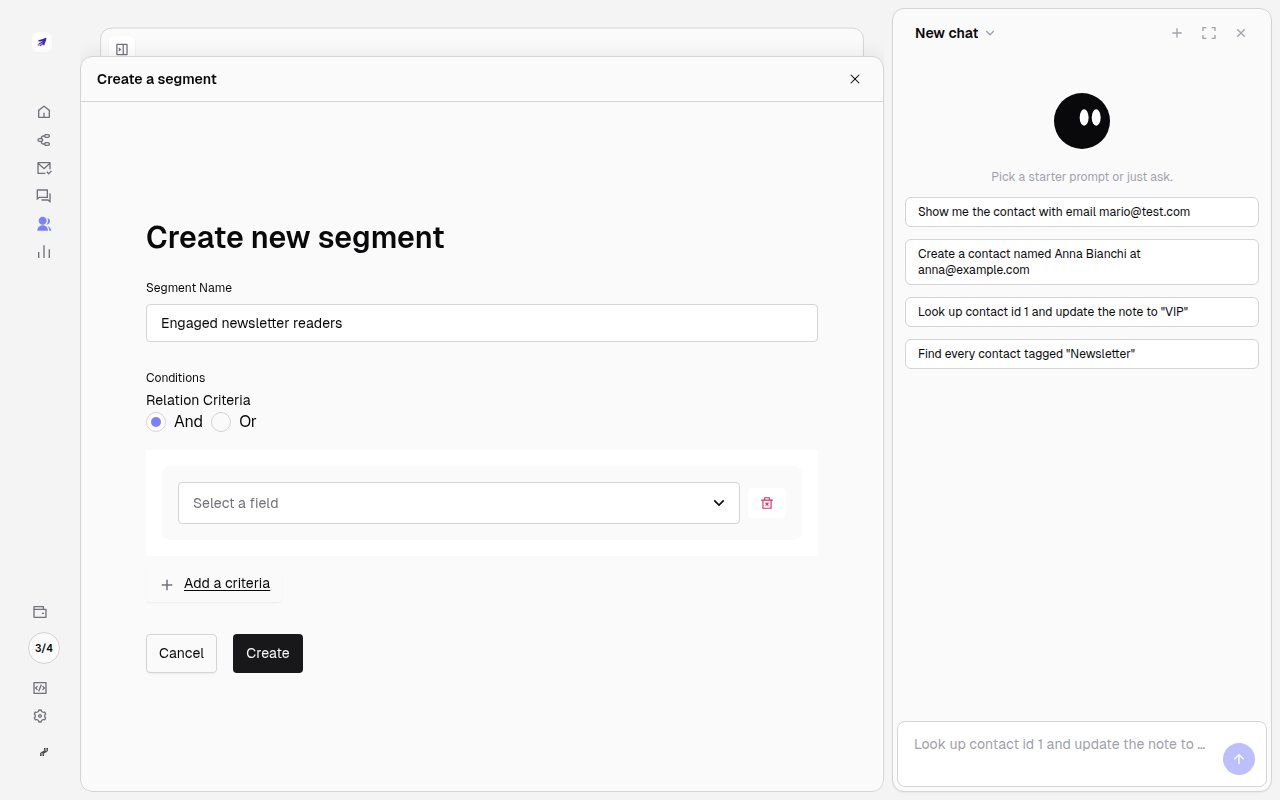
A segment powering goal tracking across your audience
Watch the flow
Creating a segment in the app, from empty to a saved filter
Step by step
1
Open Segments and create one
Go to Segments and click Create new segment.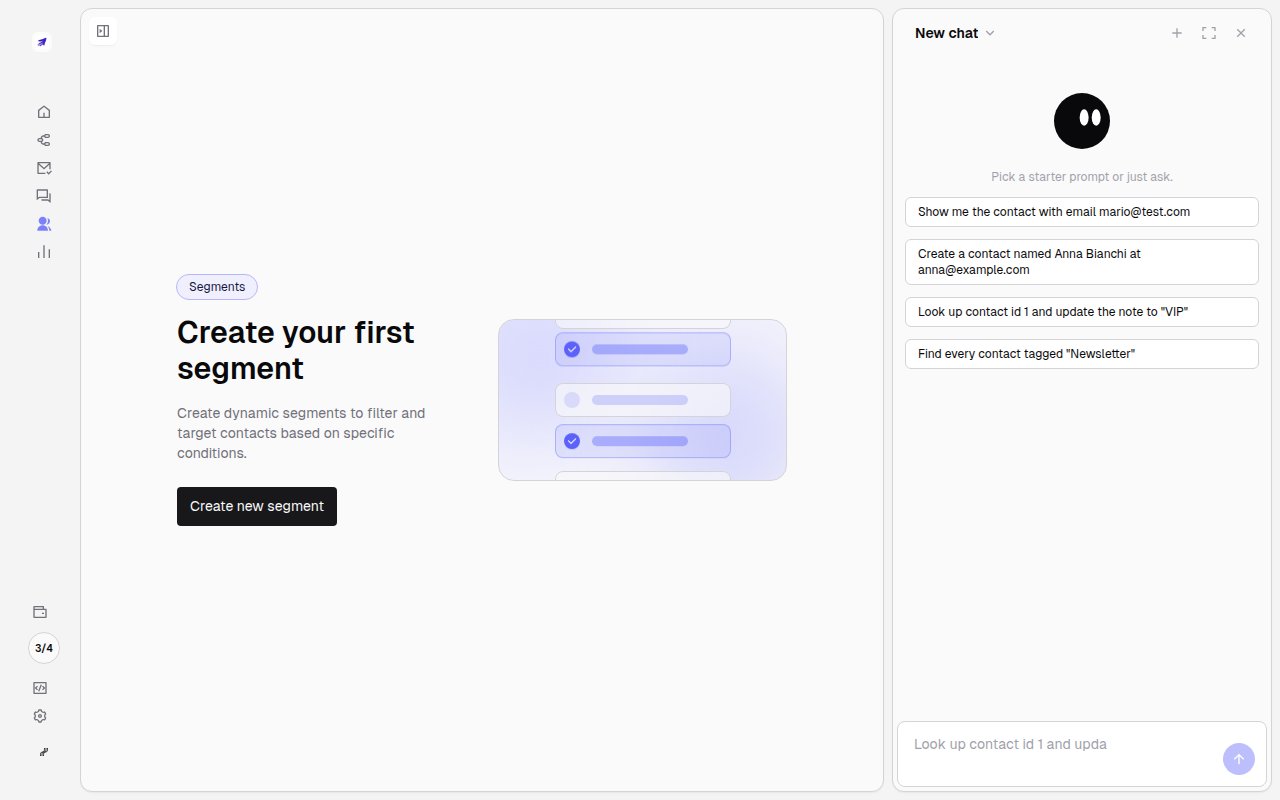
2
Name it and choose the relation
Give the segment a clear name you’ll recognize later (e.g. Engaged newsletter readers) and pick
whether contacts must match all conditions (And) or any (Or).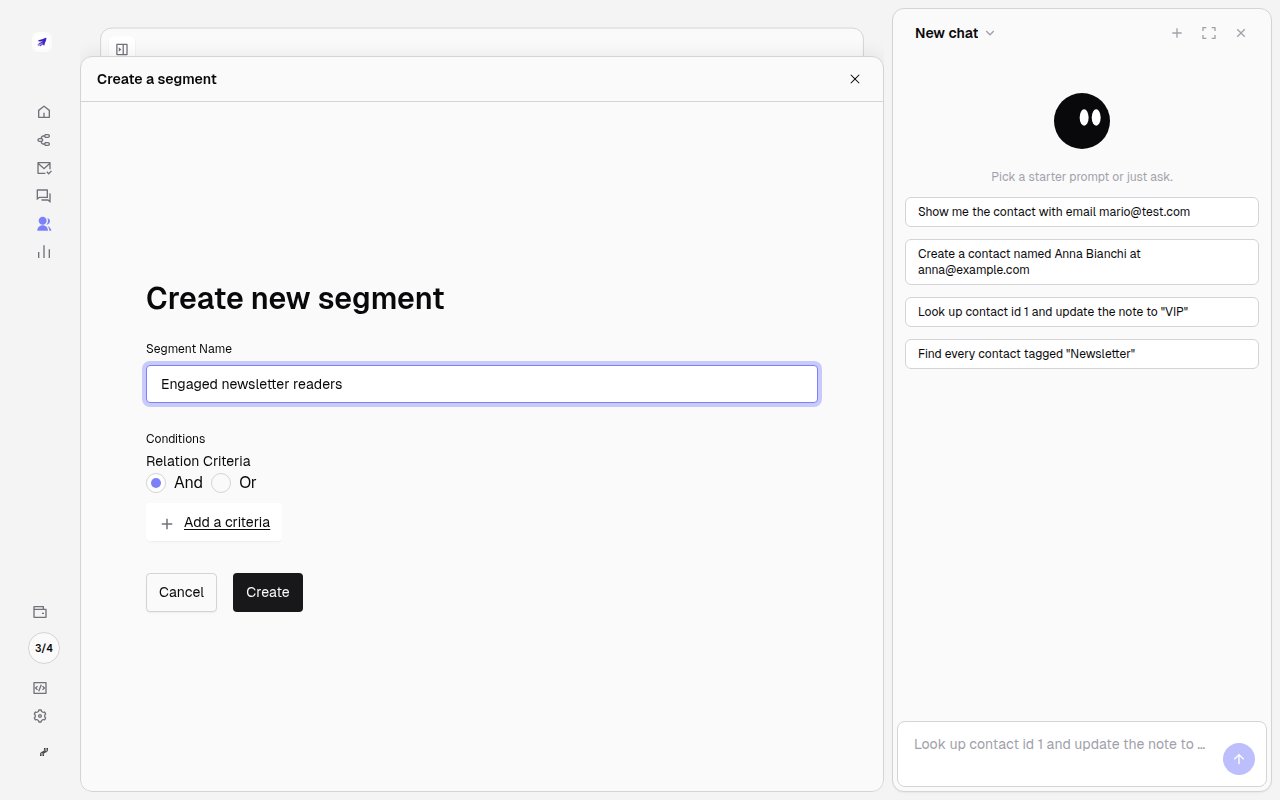
3
Add conditions and save
Click Add a criteria and combine any contact field or custom field. Minimo updates the
matching count live. Save, and the segment stays dynamic: contacts enter and leave automatically
as they start or stop matching.