

What the restaurant sees
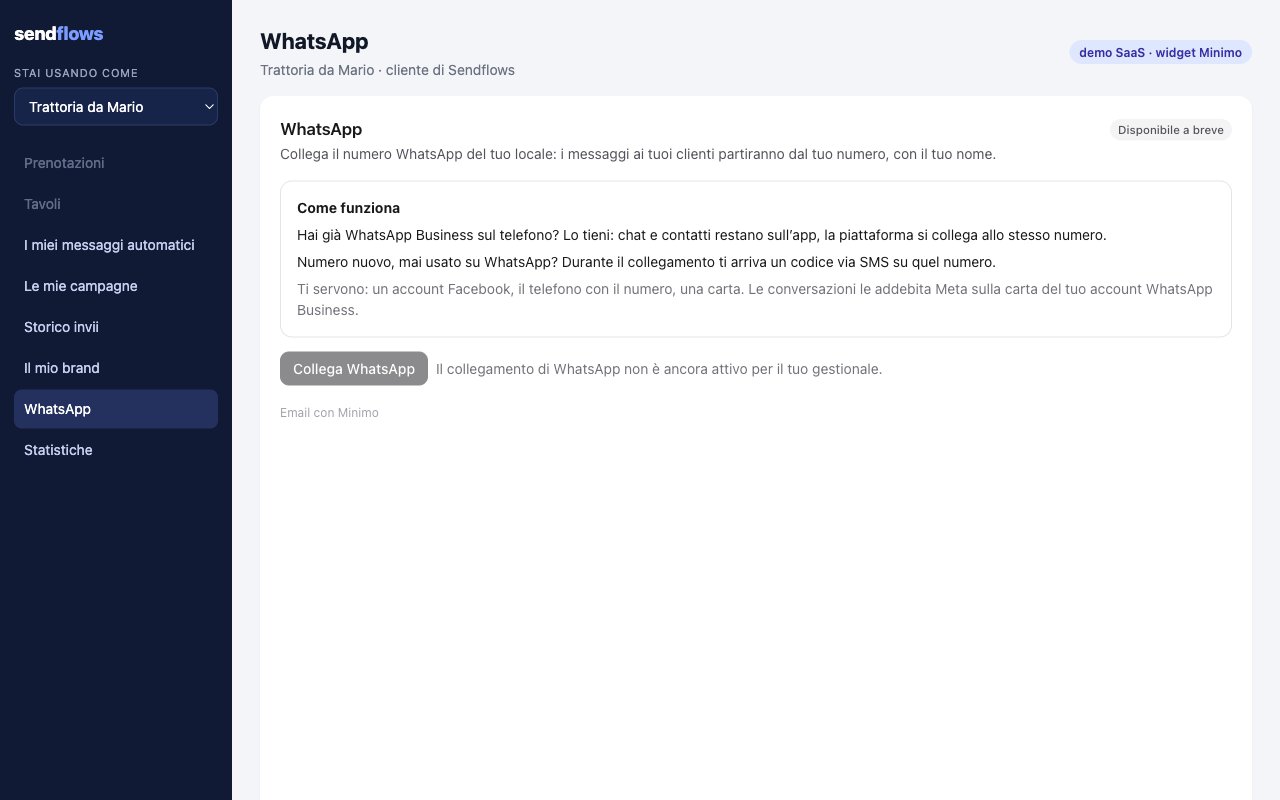
- How it works, in plain words: a number already on the WhatsApp Business app stays on the app; a new number gets a code by SMS; what the restaurant needs (a Facebook account, the phone with the number, a card).
- Connect WhatsApp opens the setup in its own window.
- Once connected: the number, the display name with Meta’s review (approved, in review, declined), the quality (high, medium, low) and the sending limit.
The connect button is enabled per workspace by Minimo. Until then the widget shows “Coming soon” and the button is
off. Today the widget connects the number and shows its state; sending from the restaurant’s number comes next (see
What is coming).
Mount it
The WhatsApp widget is not in the default permissions: mint the session withwhatsapp in permissions (with any other permission you need) and mount urls.whatsapp:
whatsapp.connect_requested arrives when the browser blocked the setup window: open event.data.url yourself, from a click of the user.
How it works
- The restaurant owns the number and pays Meta. The number lives on the restaurant’s own WhatsApp Business account in its own Meta business portfolio. Meta charges the conversations to the card on that account.
- Two ways to connect. A number already on the WhatsApp Business app stays on the app (chats and contacts stay on the phone) and connects to the platform too. A new number gets a code by SMS during the setup.
- The setup runs in its own window. “Connect WhatsApp” opens a window on Minimo, then Meta’s window: never inside your iframe, so third-party cookies and iframe sandboxes do not matter. Meta’s window shows Minimo, the technology provider: Meta does not let us change that name.
- One number, one restaurant. A number already connected to Minimo (any workspace or restaurant) is refused, never moved.
Events
Errors
The widget explains every error in plain words. Codes inwhatsapp.error: