

What the restaurant sees
locale (en or it).
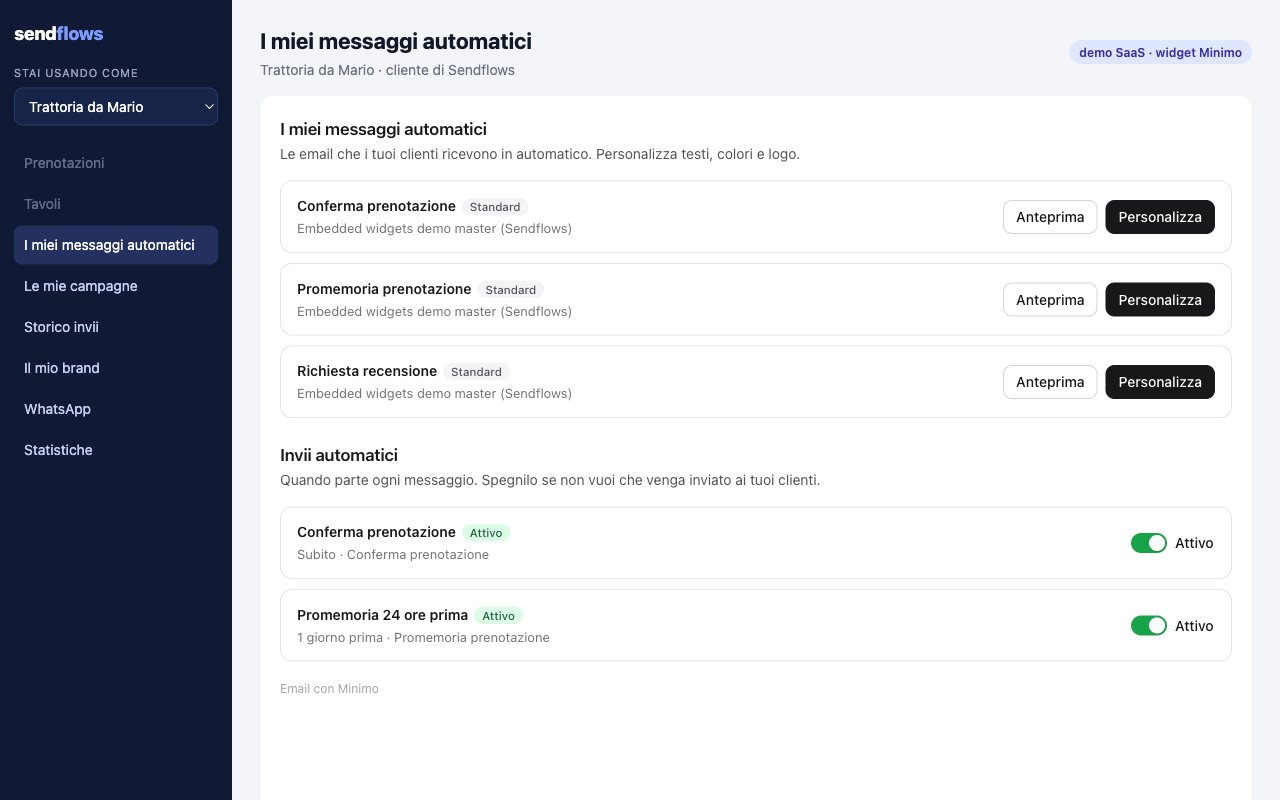
- My automatic messages: one row per transactional template you listed in
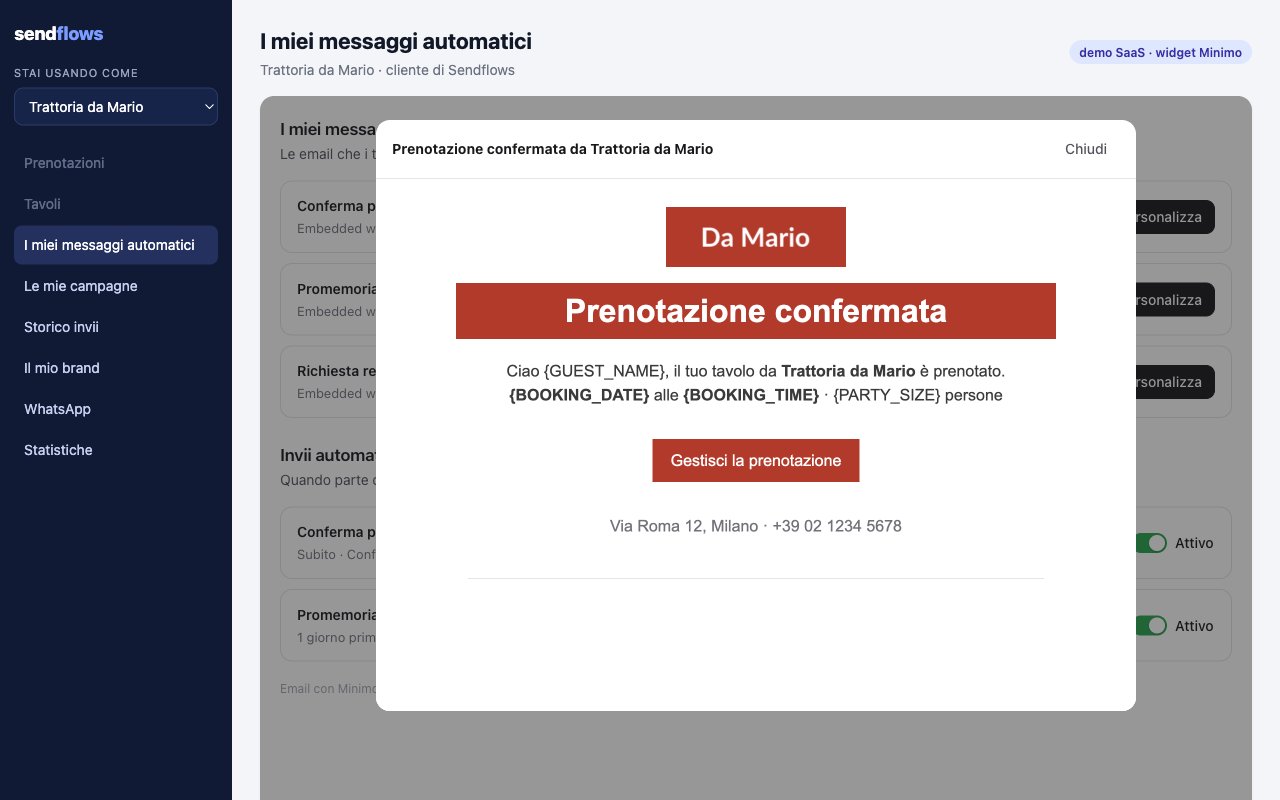
masterTemplateIds(booking confirmation, reminder, review request…), marked Standard or Personalized. - Preview shows the email as the restaurant’s guests will get it, with the restaurant’s brand. Merge fields such as
{GUEST_NAME}stay visible. - Personalize creates the restaurant’s own copy of the template and opens it in the Minimo email editor, in the same frame. Edit reopens a copy; Reset to standard deletes the copy and goes back to your version.
- Automatic sends (shown when you defined rules): when each message goes out (“Immediately”, “1 day before”), with an On / Off switch. Off stops that send for this restaurant only.
Mount it
Permissiontemplates (in the default). Mount urls.templates from a widget session:
The editor
The editor is the same Minimo email editor your workspace uses, opened on the restaurant’s copy through a single-use link. The restaurant can change texts, images, sections, colors and the subject. It cannot:- remove the footer with the unsubscribe link, or hide the sender identity line;
- replace the email with HTML that drops the unsubscribe link (
422 TENANT_FOOTER_REQUIRED); - change merge variables: they stay as they are and are filled at send time.
Sending with the restaurant’s version
Keep sending the master template with the tenant reference. When the restaurant personalized it, Minimo uses its copy; otherwise your master, in the restaurant’s brand:transactionalis the template uid (7 characters).POST /public/v1/transactionalsbehaves the same way. AddsendAtto schedule the email.- If you send the id of a restaurant’s copy directly, the message is still recorded for its tenant; a
tenantthat does not own that copy answers422 TENANT_TEMPLATE_MISMATCH. - Brand values you leave out of
customFields(RESTAURANT_NAME,LOGO_URL,BRAND_COLOR…) come from the tenant profile.
Your templates as masters
- List them in
masterTemplateIdsofPUT /public/v1/widgets/settings. Transactional templates show here; campaign templates are the starters of the Campaigns widget. - Confirmations, reminders and cancellations are utility (service) emails. A review request, an offer or a newsletter is marketing: a utility template that reads like one is refused as a master (
422 MASTER_LOOKS_PROMOTIONAL). See consent.
Events
The switch is saved by Minimo: read it back with
GET /public/v1/tenants/{tenant}/automations (see per tenant rules).