

What the restaurant sees
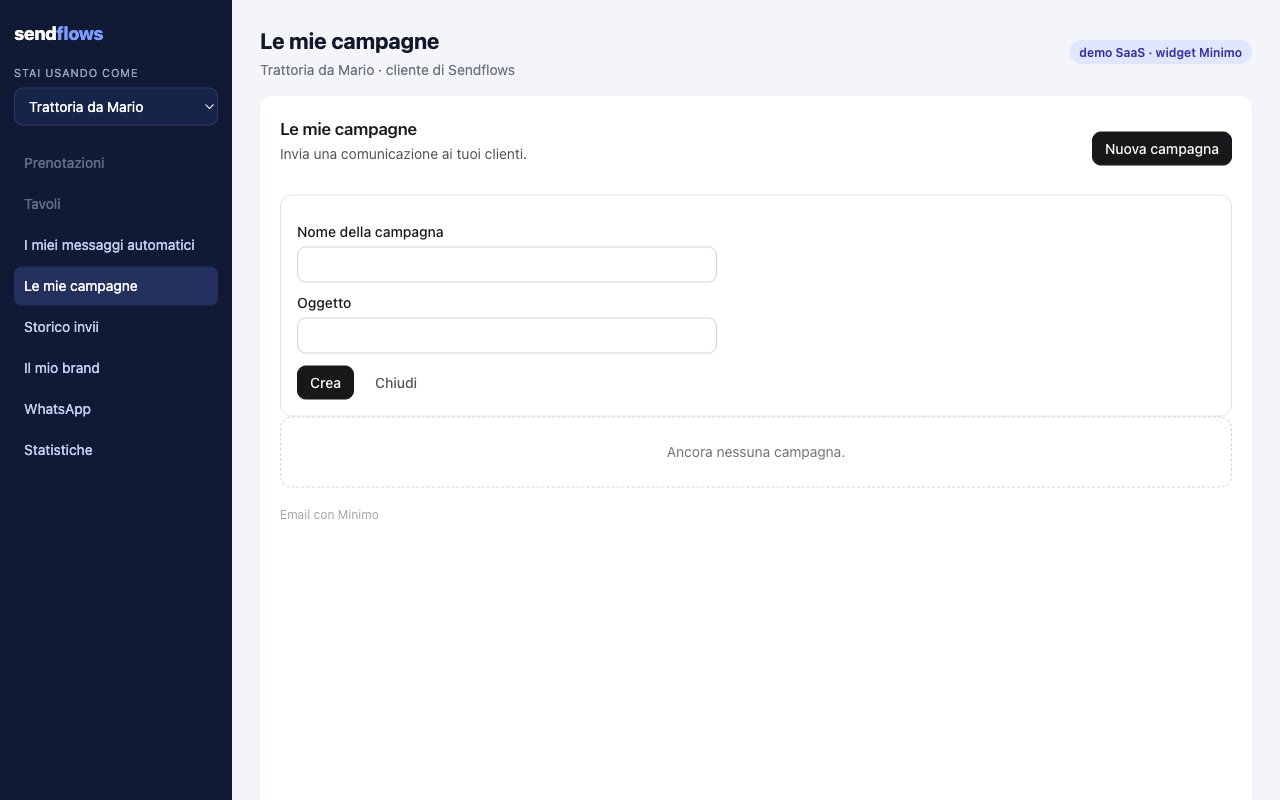
locale.
- New campaign: a name, a subject and, when you expose two or more campaign templates, a Template menu to pick the starter (the first one is the default).
- Edit content opens the Minimo email editor on the campaign, in the restaurant’s brand. The footer with the unsubscribe link stays.
- Send: the restaurant picks recipients among its own contacts (or selects all), and can Add contact (email, first name, a box “Agreed to receive marketing emails”). Contacts without consent are marked and do not receive it.
- The list shows each campaign with its status: Draft, In review, Sending, Sent, Partly sent, Not approved.
Mount it
Permissioncampaigns (in the default). With contacts too (also in the default) the restaurant can see, pick and add recipients; without it the widget can only send to all the restaurant’s contacts.
from when you mint the session to send the restaurant’s campaigns from its own sender, for example Trattoria da Mario <news@trattoriadamario.yoursaas.example>.
Starters
The starters are your campaign templates listed inmasterTemplateIds of PUT /public/v1/widgets/settings. Each new campaign is a copy of the starter, already in the restaurant’s brand color. If you expose no campaign template the restaurant cannot create a campaign.
Who receives it
- Only contacts of this restaurant (tag
tenant:<tenant>in your workspace), whatever ids the page sends. - Only contacts with marketing consent: a campaign is a marketing email. With consent per tenant, only guests subscribed to this restaurant.
- Never an address that bounced, complained or unsubscribed.
- The first 3 campaigns of each restaurant are reviewed by Minimo before they go out. The widget shows “Campaign under review: we check the first campaigns of every restaurant before they go out. It is sent automatically once approved.” A rejected campaign shows Not approved: the restaurant creates a new one.
- A new restaurant can send up to 200 promotional emails a day in its first 7 days, then 1,000 a day until day 30.
- Large lists go out in waves, and a restaurant with too many complaints or bounces is paused.
Events
Contacts added here
- A guest new to your workspace is created with the tag of this restaurant, and with email marketing consent only when the box is ticked.
- A guest your workspace (or another restaurant) already has is linked, never modified, and shown by email only.
- A new guest is a normal contact of your workspace: a workspace automation of yours that starts when a contact is created also starts for it. Keep this in mind before you create workspace automations on new contacts.